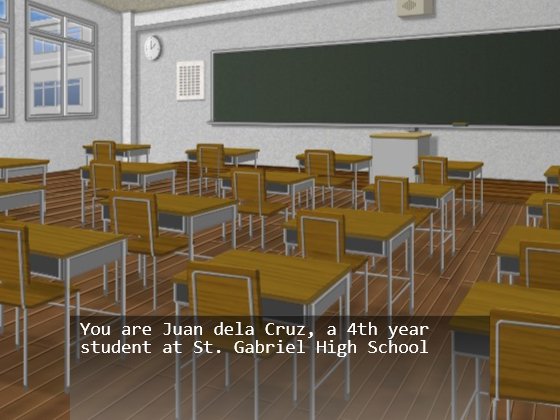
Project Я: A Ruby/HTML5 Visual Novel

first scene

As promised, here’s the game I made for the Global Game Jam.

Seeing that I couldn’t think of a quick web-based game matching the theme “Ouroboros”, I just went ahead with a joke I made sometime after the Ruby Rumble:

Sa susunod na Rumble, gagawa ako ng hentai game sa Ruby!
(For the next Rumble, I’ll make a hentai game in Ruby!)

So yeah, that’s how I ended up with a Visual Novel. Unfortunately for the people expecting sexually explicit scenes (which was about a third of the people who saw the game), the “game” I made was more ATLUS/Capcom than Key/Type-Moon.

Anyway, it’s more of a tech demo than a game, with me trying to implement a Cloud-based multi-platform visual novel with psychological themes and non-standard tactical RPG gameplay. Or in non-buzzword speak, an HTML5 adventure game playable over the internet.

Play it here.

Please use fake email addresses so you could view the changes when you change the answers to the initial questions.

Some boring technical details:

I didn’t release the code because of how ridiculously horrible it is. I mean, using GET to update state, WTF?!?

RailsFTW, now twice as fast!

Rails FTW

My Game Jam post is waaay overdue but some stuff happened this week (impromptu upgrade, server migration) so I’ll only get around to post about it probably later today.

Anyway, this post is just about the new version up over at RailsFTW. This experimental build is based on TCS’s patched Ruby build which boasted a ~200% increase in performance.

See it for yourself:

RailsFTW v0.10 released, now with Ruby 1.9.3 and Rails 3.2

Rails FTW

Still hung-over from Global Game Jam 2012 (mini-write-up later) when I went to the RailsInstaller site on a whim.

Noticed that it still isn’t using Rails 3.2. So I decided to update my own to be ahead again.

Hopefully this would be the last RailsFTW version (hoping Luis would be able to convince Wayne to include MySQL to RailsInstaller so I won’t need to this anymore LOL).

Coding Screencasts

I’ve been doing some programming screencasts lately over my Youtube channel. They’re not really “screencasts” ala RailsCasts but more like informal streamed videos that you’d see in Justin.tv/Twitch.tv.

These screencasts were recorded in 720p so it’s a good idea to select a higher resolution then view the videos in full screen or the large player in order for you to read the code properly.

Here I code a hexagonal “game of life”-like cellular automata. Used Ruby, Gosu, and RSpec.

Walking through coding a simple Rails app. Bunch of technologies discussed like Twitter Bootstrap, Heroku, and git.

Going through Project Euler problems via brute force using Java.

Learn how to setup a web server pt3: Installing MySQL and PHP apps (e.g. WordPress)

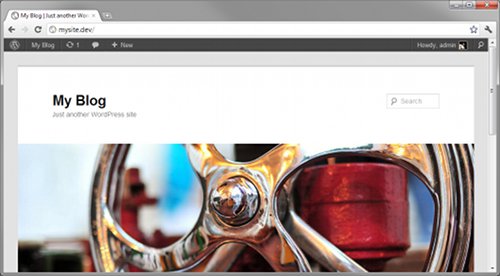
WordPress Installed

Here’s a quick update to this mini-tutorial. Previous parts can be found here and here.

Installing MySQL

Installing MySQL is so simple that I don’t need to hide it behind the cut. The one in the Ubuntu repositories work just fine:

$ sudo apt-get install mysql-server-5.1

Note that you will be asked to enter a root password somewhere in the installation.

To wrap up the installation run

$ sudo mysql_install_db

to initialize the installed server and

$ sudo mysql_secure_installation

to secure it.

In mysql_secure_installation, you’ll be asked for your root password and then you’ll asked if you want to change it. Just enter “n” since there’s no reason to change it this early. Then you’ll be asked if you want to do some things to secure the database which is, of course, what we want to do so just hit Enter for each question to choose the default answer (“Y”).

Continue reading “Learn how to setup a web server pt3: Installing MySQL and PHP apps (e.g. WordPress)”