First draft/installment of my new Ruby deployment book now out

I’ve always thought that Rails’s “Deploy” page is one of the weakest parts of the Rails website – it’s just a bunch of links with no explanation unlike, say, the Active Job guide. Online tutorials also don’t help, most of them rely only on Heroku (which recently changed the behavior of their free tier to require 6 hours of sleep per day).

Beginners are left with:

  • Buy a book like Agile Web Development With Rails 4 or Rails 4 in Action which have chapters on deployment.
  • Read through the docs of the links on the “Deploy” page and do everything by trial and error.
  • Scour through the countless tutorials online and hope the one you’re working on is correct.

In short, newbies are pretty much screwed.

So I decided to give my own take on the “Ruby deployment for Dummies”. Unlike your usual tutorial, I wouldn’t just focus on the “How to” but also the “Why”. I’ll also look at the various alternatives for the different components of your Ruby server.

And here’s the first draft/installment: A Beginner’s Guide to Deploying Rails.
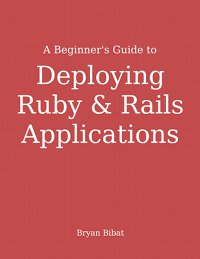
Early draft of book cover

It’s only the first part so it’s free to read and download. I expect to finish this book by late August.

Please buy the book so I can get out of mini-writer’s blocks and push it out earlier. LOL
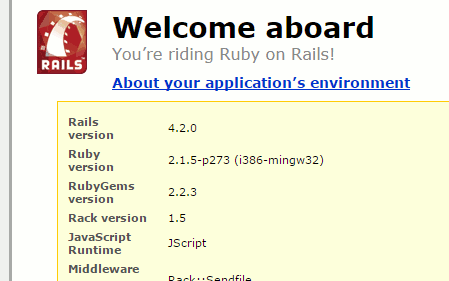
RailsFTW v0.19 now out, with Rails 4.2.0 and RubyGems SSL fix

After waking up at 4AM to the n-th “How do I fix the SSL problem in RailsInstaller/RubyInstaller?” in both project’s mailing lists, I stopped watching AGDQ for a couple of hours to spin up new Windows 7 virtual machines to upgrade RailsFTW to deal with those problems.

Version 0.19 is now out, with Rails 4.2.0 and RubyGems SSL fix.

So You Want to Teach Ruby and Rails…

RubyConf Philippines was a blast. I still can’t decide which of the following was the best thing I did in the event:

So yeah, I did a talk on the first day about teaching. Here are my slides:

I recorded an “extended podcast-version” earlier today. Here it is in all it’s crappy one-take glory:

Some quick links for further reading:

Free Rails Book at Leanpub + RailsFTW update

A month and a half to go to build up my street cred for RubyConf PH

Seriously, though, I’ve spent the past month working on stuff related to my upcoming talk, namely, about teaching Rails. At the top of the list was converting and formatting my old outdated Rails 3.0 book to Leanpub‘s markdown dialect.

Long story short, the book is now available there for online viewing. I’ve also gone the Humble Bundle-esque “Pay-what-you-want” for e-books scheme for people interested in giving me money to support my other writing endeavors.

In other news, I’ve finally updated RailsFTW to Rails 4.0.2 and Ruby 2.0 (2.1 is still unstable for Windows). Head over to the site and grab it while it’s hot.

Additional Steps for RailsInstaller in Windows 8

[UPDATE: You no longer need to do most of the steps below in recent versions of NodeJS. RailsInstaller/RubyInstaller should work just by installing NodeJS.]

If you’ve tried using RailsInstaller or RailsFTW in Windows 8, you might think it works out of the box — that is, until you open a page that uses the asset pipeline and get a cryptic message related to your CSS/JS.

The reason for this is that the built-in JScript runtime is incompatible with Rails. You need to install Node.js and make it the primary runtime for Rails to work.

The easiest way to do this is:

  1. Install Node.js
  2. Run Node.js » “Node.js command prompt”
  3. Get the path of node.exe via “path” command. You’ll get something like:
    C:\Users\bry>path
    PATH=C:\Users\bry\AppData\Roaming\npm;C:\Program Files\nodejs\;C:\Program Files...

    Get the “C:\Users\bry\AppData\Roaming\npm;C:\Program Files\nodejs\;” part.

    Tip: right click command prompt window » Poperties » tick QuickEdit Mode so you can select and right click to copy to clipboard.

  4. Edit the setup_environment.bat for RailsInstaller (e.g. C:\RailsInstaller\Ruby2.0.0\setup_environment.bat, Notepad will do), find the following line
    SET PATH=%RUBY_DIR%\bin;%RUBY_DIR%\lib\ruby\gems\1.9.1\bin;%ROOT_DIR%\DevKit\bin;%PATH%

    for RailsFTW this will be setrbvars.bat (e.g. C:\RailsFTW200402\bin\setrbvars.bat) and the line will be:

    SET PATH=%RUBY_BIN%;%PATH%

    and add the Node.js path after the SET PATH= e.g for RailsInstaller:

    SET PATH=C:\Users\bry\AppData\Roaming\npm;C:\Program Files\nodejs\;%RUBY_DIR%\bin;%RUBY_DIR%\lib\ruby\gems\1.9.1\bin;%ROOT_DIR%\DevKit\bin;%PATH%

    for RailsFTW:

    SET PATH=C:\Users\bry\AppData\Roaming\npm;C:\Program Files\nodejs\;%RUBY_BIN%;%PATH%
  5. At this point, RailsInstaller » “Command Prompt with Ruby and Rails” and RailsFTW » “Start Command Prompt with Ruby” will now have Node.js as the runtime.