Adding iPhone Icon to your Website

I check my statistics and logs once in a while to look out for hacking attempts and broken links. Something interesting showed up in the logs for this blog last month:

missing icons

Turns out that iOS devices (iPhone, iPod Touch, iPad) allow you to create Web Clips, basically a bookmark on your home screen. Just like browser bookmarks use Favicons to allow the user to quickly identify what that bookmark is for, Web Clips can be represented by certain image files.

Cutting to the chase, I had to create 3 files: apple-touch-icon.png (iPhone 4), apple-touch-icon-57x57.png (iPod Touch), and apple-touch-icon-72x72.png (iPad). I didn’t use the “precomposed” icons because I want to let the iOS device handle the rounded corner + glossy effect (and let me get away with a simple image I cooked up in GIMP in 5 minutes).

Here’s the Web Clip in action on my iPod Touch:
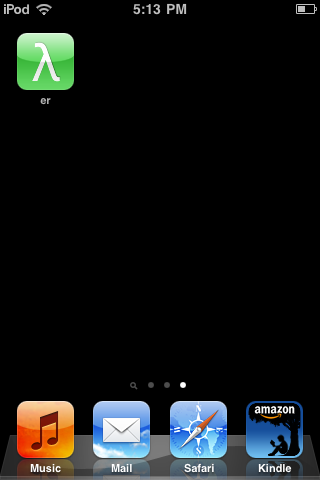
Web Clip

Why Diets Make You Fatter

yoyo

Why Diets Make You Fatter — And What to Do About It via AlterNet

Stumbled upon this article yesterday. It pretty much sums up the current state of weight control science. TL;DR:

So while stuff like Paleo Diets (gluten is evil!) might work, weight control (and personal fitness as a whole) is still very much trial and error. Don’t be excited about the latest fad, but at the same time, don’t be discouraged if the results don’t appear as fast as you expect it to show.

Yoyo pic from XuliánConX via flickr

Turn Links into Rounded Buttons via CSS3

I don’t like design work.

Whether I like it or not, I still have to do it since it’s part being a web developer. Fortunately, I get to learn a couple of tricks once in a while to make life a bit more interesting.

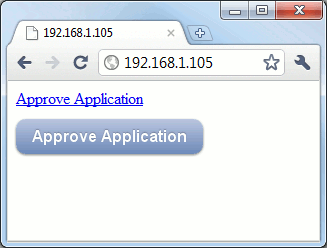
One of those is how to turn a boring link into a “Web 2.0” button:

link and button

Half a decade ago, you’d have to use an image for this effect. Thanks to the CSS3 support in modern browsers, you can implement this using only CSS. Here’s how you do it.

Continue reading “Turn Links into Rounded Buttons via CSS3”

Ruby on Windows

Some posts just write themselves. Today’s post comes from my reply to a guy in PhRUG who still thinks you need a Mac before you can develop Rails applications.

windows and ruby

This is probably the biggest problem the Ruby/Rails community has when trying to spread the word in this country: the lack of interest in supporting Windows.

I mean, a typical response to the legitimate question “I’m using Windows, how to I practice RoR?” is the fanboy answer: “Get a Mac!”

And that, my dear readers, is a dick move. If I was an average college student and you told me that, I’ll immediately think “WTF?!? I just want to try out this open-source language and web framework and I need to shell out a couple of years worth of tuition?!?

Answering “Format your hard drive and install Linux” is less of a dick move, but a dick move nonetheless.

Thus, if we rubyists want to spread the word about Ruby, we’ll have to make Windows a viable OS for Ruby development. Here are a few options available to us:

Continue reading “Ruby on Windows”

Extracting Torrent from StarCraft 2 Installer

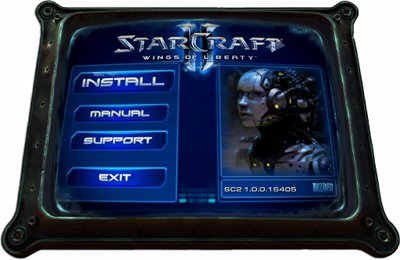
starcraft II installer

It’s a week before every certified geek in the world would drop everything to get their Zerg on.

Now, a lot of people have already reserved their copy of StarCraft II from DataBlitz, but I’m more of a digital download guy: less clutter for my room, the better. Fortunately, Blizzard is now using this opportunity to sell the new Battle.net as a viable digital distribution platform just like what Valve did when they made Half-Life 2 a Steam exclusive.

Unfortunately, as with Steam half a decade ago, the current version of Battle.net is crap in terms of actually distributing the data. Unlike Steam’s high-speed global CDN, Battle.net uses BitTorrent. Now that would be nice if only their BitTorrent client isn’t crap — the one bundled with their installers gives you limited settings on how the torrent is downloaded and shared.

Thankfully, it’s easy to extract the torrent file from their installers. All you need is a Hex editor.

Continue reading “Extracting Torrent from StarCraft 2 Installer”