Solve LibreOffice’s SlideShare and Windows Anti-aliasing Problems

antialiasing

I frequently make slides but since I don’t like paying for Office/iWork and I haven’t drunk the Google Docs kool-aid yet, my tool of choice for presentations is LibreOffice Impress.

LibreOffice is more than sufficient for my needs. There are, however, two major problems I’ve encountered so far:

  1. ODP format isn’t fully supported by SlideShare, as you could see from my Haml presentation last year.
  2. I sometimes present in Windows (e.g. Rails workshops with everyone in the audience using Windows) and I’ve noticed that anti-aliasing sucks in that OS even in 3.4.3rc. With me having very good eyesight combined with most of the text in my slides being large phrases (i.e. the proper way to build slides), those jagged edges can be annoying.

Fortunately, there’s a simple solution to both of these problems:

Export to PDF

By exporting to PDF, you bundle the correct fonts in the document. Also, this approach leaves the anti-aliasing to your PDF reader which is more likely to have better AA rendering.

The picture at the top of this post shows the difference between LibreOffice and PDF-XChange Viewer‘s AA rendering, respectively.
Make gitk look better by updating tk

I thought I’ve already done this to all of my machines but it seems that I haven’t done it on this laptop I’m using right now.

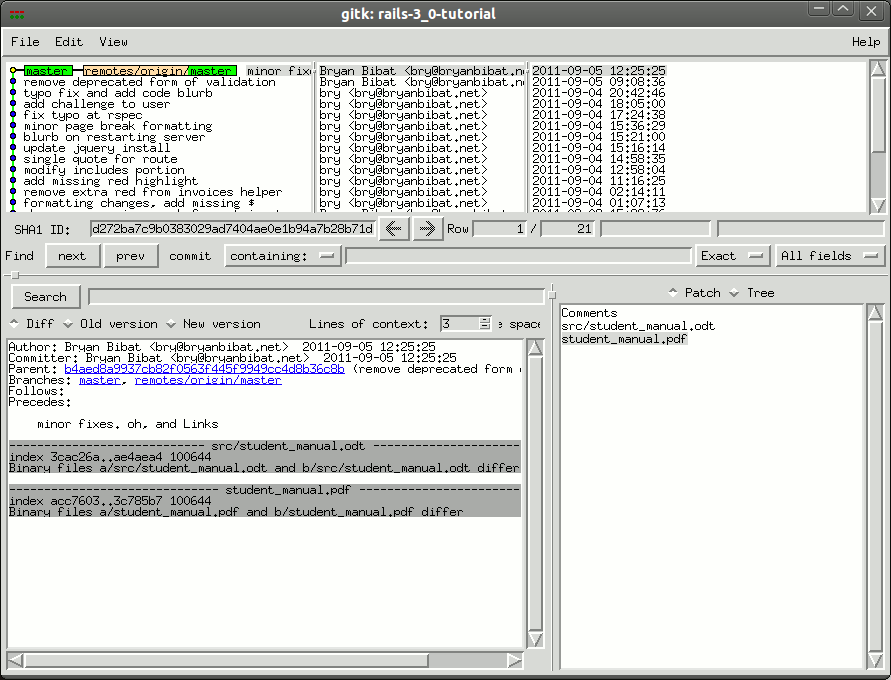
Anyway, I use gitk for my graphical git browsing because I’m too lazy to download other graphical packages. Unfortunately, gitk looks like this:

pre-tk8.5
(click pic for larger version)

The solution to this is to install tk8.5 and tell gitk to use it instead of 8.4. From SU:

To fix this the Debian (Ubuntu) way:

$ sudo apt-get install tk8.5
$ sudo update-alternatives --config wish

And then pick the wish8.5 alternative.

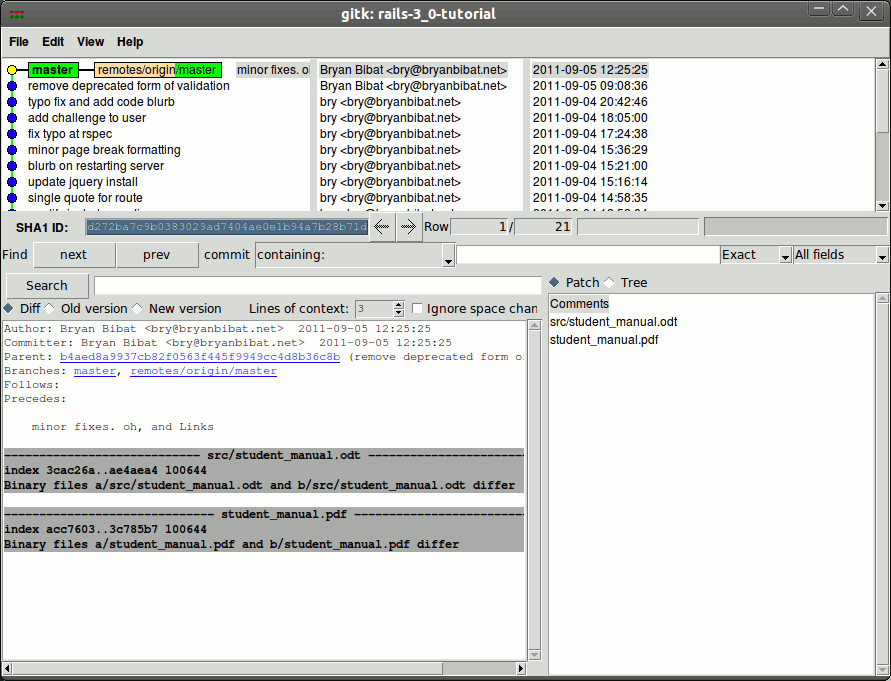
Here’s the result:

post-tk8.5

Free Rails 3.0 tutorial/manual

Computer Science teachers have it easy. Every time a new semester rolls in, they can simply reuse the material they’ve been using for years.

As a teacher of a quickly evolving web framework, I do not have that luxury.

As I write this, less than 24 hours have passed since the Rails Core team released the new version of Ruby on Rails: version 3.1.0. This means that I now have to update my student manual (i.e. this document) for upcoming classes to use this new version. Having done that before when we moved from Rails 2.3. to Rails 3.0, I know how much of this document will be changed: sections will be gutted, swaths of code rewritten, and at least one new chapter would be added.

And, yet again, I will not be paid a single cent for those updates.

So instead of just letting this nearly obsolete document go to waste, I’ve decided to give it away for free.

Get it here.

Don’t upgrade your drinks!

When I was in high school, buying a large Coke from McDonald’s was the most cost-effective way to get your soda fix. Sure, about a third of the cup would be ice, it’s better than shelling out 20 for a 12oz can from a vending machine.

Nowadays, however, it seems that most restaurants get their profit from their drinks, with Jolibee and McDonald’s being the worst offenders:

  • 7/11 Big Gulp (22oz) – PhP 25
  • Big soda (16oz) at Sbarro – PhP 28
  • Coke Light 500ml PET (17oz) at Mini Stop – PhP 30
  • Coke Light 1.5l PET (~51oz) at Mini Stop – PhP 43
  • Large soda (16oz) at Jolibee and McDonald’s – PhP 45 ಠ_ಠ

Think about it next time you order fast food.