Update: This tutorial is way out of date. If you want to create a modern (ie. 2015) app, please use a generator like RailsBricks.
With the recent release of web-app-theme providing Rails 3.1 support, it’s time once again for me to write a tutorial on how to earn money from cheap clients who can’t afford designers.
For reference, the previous tutorial can be read here.
—
Every Rails developer knows how to create a Rails app. It’s easy as
rails new APP-NAME-HERE
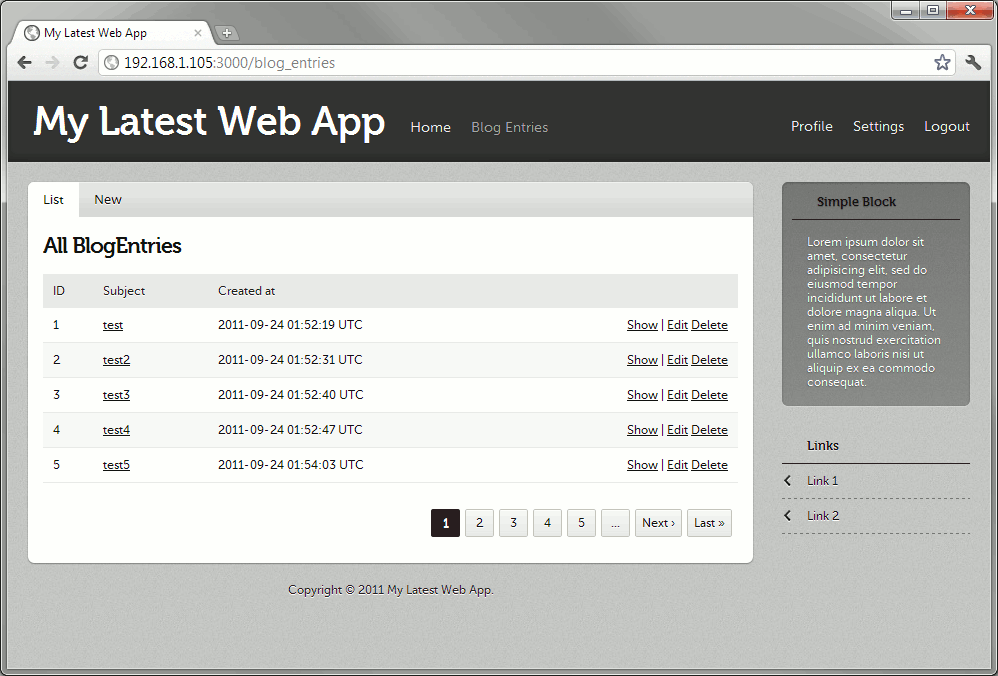
But how many know how to create an app from scratch that looks good enough to sell to clients i.e. with slick design, authentication, authorization, and all that? Sure, there are tutorials out there that cover those components, but most of them cover them only in isolation from each other. A quick tutorial containing multiple components at a time would be a valuable resource to anyone planning to start a new app.
As the resident dilettante in these parts, I’ve decided to create such a tutorial based on a recent demo I made for a prospective client.
This post will discuss how to create a Rails 3.1 application that looks good enough to sell to clients (of course, YMMV) while still having components found in “professional” apps. This tutorial will cover the following:
- Andrea Franz’s web-app-theme gem – this gem generates themes for your web app (hence the name). The demo and the list of available themes can be found on this page.
- Devise – our authentication module. Authlogic‘s fine, but I find Devise’s approach less obtrusive.
- Haml – replaces Erb. Not perfect (e.g. screws up with inline a tags) but the drastic decrease in code makes passing it up difficult.
- Rspec – replaces Test::Unit. Only setup will be covered in this post, actual usage is left to the reader.
- Kaminari – gem for pagination. We’re going to use it in place of the previous gem will_paginate
Rest of the tutorial is below the cut.
Continue reading “Starting a “professional” Rails 3.1 app with Web App Theme, Devise, and Kaminari”