[Follow Up] Styling the Sign-up form in Web App Theme

Two days ago, a reader emailed me asking for help on my previous tutorial. There I was able to convert Devise’s sign in form to use Web App Theme’s CSS, but I didn’t provide details on how to style the other form: the sign-up form.

The change required is pretty simple actually, just as long as you understand what I did in that tutorial. First, you need to tell Rails to override Devise’s RegistrationsController’s layout to use the “sign” layout (just as what we did with SessionsController which handles the sign in):

    config.to_prepare do
      Devise::SessionsController.layout "sign"
      Devise::RegistrationsController.layout "sign"
    end

Then modify the app/views/devise/registrations/new.html.haml file accordingly. If all goes well, you should get something like:
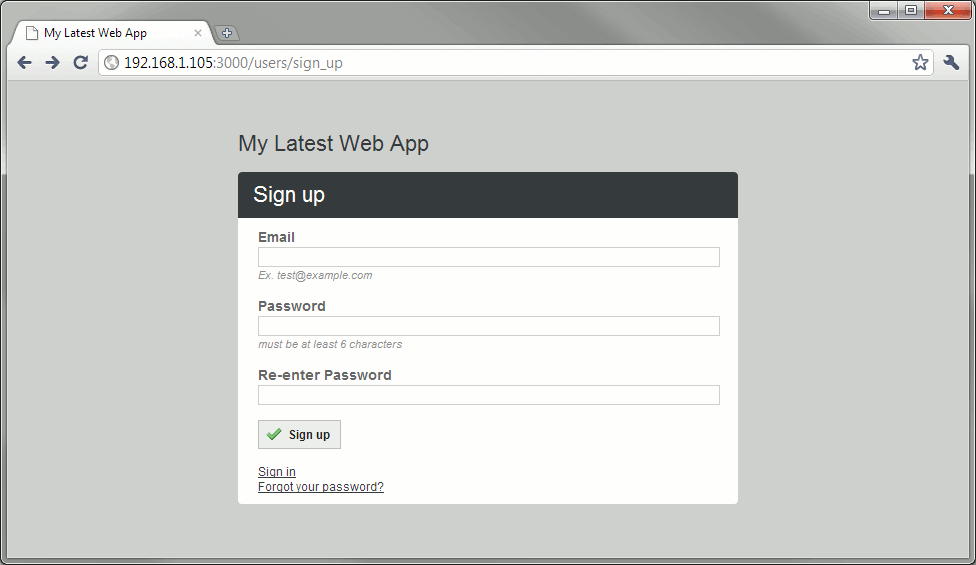
sign up page

The steps to convert the “Forgot your password?” page is left to the reader.

Web Developer Interview Questions

Earlier this week, I had to interview a bunch of applicants for a web developer role. The idea is to filter out those who aren’t really experienced as the job asks for people with at least 6 months of experience.

Anyway, below is the test I gave them. I don’t feel like giving something like it again in the future (it’s pretty crappy IMHO) so I think it would be a good idea to share it instead of just throwing it away.

Determine whether the statements below are true or false. Be prepared to explain your answer.

  1. A primary key can be composed of multiple columns.
  2. When you have two tables in a parent-child relationship (i.e. one table has a foreign key referring to the other table) deleting a parent record will delete all child records of that record.
  3. Escaping special characters is the best way to avoid SQL injection.
  4. You can undo UPDATE and DELETE changes to the database.
  5. The VARCHAR data type can be used to save space when used over CHAR.
  6. When using an RDBMS, normalization must be done for all tables.
  7. Indexes speed up database actions.
  8. Foreign keys are usually indexed.
  9. Many-to-many relationships are implemented via junction/join tables.
  10. Some HTML elements have been deprecated in favor of CSS.
  11. The <strong> element can be used interchangeably with the <b> element.
  12. Under strict XHTML rules, <br> is not a valid usage of the line break element.
  13. The href attribute of the anchor element only accepts relative and absolute links.
  14. The image tag is a block element.
  15. When a form is submitted, the submitted data is derived from only the input elements inside the form.
  16. Multiple elements can have the same id attribute.
  17. Web servers serve content at port 443.
  18. A web server can identify if a client has visited the website before.
  19. POST is idempotent.
  20. A browser redirect can be initiated by a response with an empty body.
  21. In JavaScript, the var keyword is optional when declaring variables so it can be omitted in all cases.
  22. You must specify a function name when declaring JavaScript functions.
  23. Ajax will prevent you from performing other actions until the Ajax action is completed.
  24. You are limited to using XML in Ajax.
  25. You cannot change the values of a class variable.
  26. Constructors are instance methods.
  27. Polymorphism refers to the ability to define functions to have different behaviors depending on the passed arguments.
  28. High cohesion and loose coupling can improve coding speed.
  29. You can combine the features of two classes via inheritance.
  30. Encapsulation is primarily used for security reasons.

Answers below the cut.

Continue reading “Web Developer Interview Questions”

Daily Distractions: SpaceChem

SpaceChem

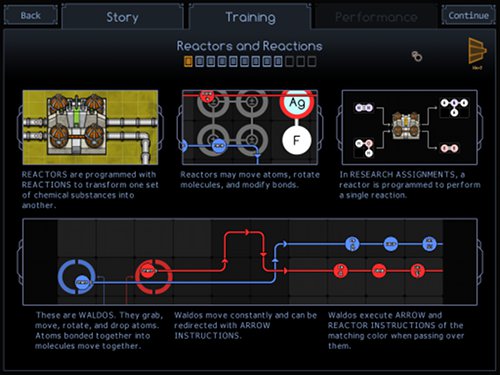
Last week, I stumbled upon SpaceChem, an indie game where you play the role of a reactor engineer sent to various planets to turn harvested raw materials into more useful products.

What’s really great about this game is that you are practically programming the “reactors”. Not only does it dabble upon both digital design (clock timing, implementing state handlers from scratch) and software development (performance tuning, refactoring), missions that require you to connect multiple reactors also make the player learn supply chain management.

I won’t post any videos since it will spoil the joy of making your own solutions to the missions. I suggest you go grab the demo here (available on Windows, Linux, and Mac) and try it out yourself.

Adding iPhone Icon to your Website

I check my statistics and logs once in a while to look out for hacking attempts and broken links. Something interesting showed up in the logs for this blog last month:

missing icons

Turns out that iOS devices (iPhone, iPod Touch, iPad) allow you to create Web Clips, basically a bookmark on your home screen. Just like browser bookmarks use Favicons to allow the user to quickly identify what that bookmark is for, Web Clips can be represented by certain image files.

Cutting to the chase, I had to create 3 files: apple-touch-icon.png (iPhone 4), apple-touch-icon-57x57.png (iPod Touch), and apple-touch-icon-72x72.png (iPad). I didn’t use the “precomposed” icons because I want to let the iOS device handle the rounded corner + glossy effect (and let me get away with a simple image I cooked up in GIMP in 5 minutes).

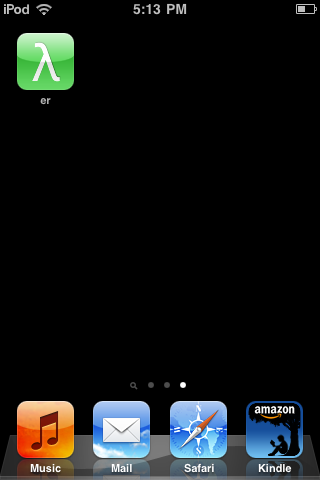
Here’s the Web Clip in action on my iPod Touch:

Web Clip