Ruby on Windows

Some posts just write themselves. Today’s post comes from my reply to a guy in PhRUG who still thinks you need a Mac before you can develop Rails applications.

windows and ruby

This is probably the biggest problem the Ruby/Rails community has when trying to spread the word in this country: the lack of interest in supporting Windows.

I mean, a typical response to the legitimate question “I’m using Windows, how to I practice RoR?” is the fanboy answer: “Get a Mac!”

And that, my dear readers, is a dick move. If I was an average college student and you told me that, I’ll immediately think “WTF?!? I just want to try out this open-source language and web framework and I need to shell out a couple of years worth of tuition?!?

Answering “Format your hard drive and install Linux” is less of a dick move, but a dick move nonetheless.

Thus, if we rubyists want to spread the word about Ruby, we’ll have to make Windows a viable OS for Ruby development. Here are a few options available to us:
Continue reading “Ruby on Windows”

Windows Memory Diagnostic

I wasn’t able to post a Thursday post because:

  • National Holiday (Eid ul-Fitr) meant that I had to be onsite on Thursday instead of Friday, and
  • when I turned on my rig that morning, it beeped continuously won’t go to POST once, but booted properly the next time I turned it on.

A quick Google search told me the computer problem was probably a memory error and so I set my PC to run Memtest86 on a loop before going to the office. When I came back, my RAM passed 13 tests with no errors.

And then when I restart the PC the continuous beeping returned. =/

With the memory out of the question, thus began my 3-hour trial and error session to isolate the problem. PSU problem? Nope, multimeter reads normal voltages for all lines. Overheating? Cleaned off the dust from the CPU and video card heatsinks to no avail. Extra devices screwing with the motherboard? Removed all but the HDD and video card but still the continuous beeping happens once every few reboots. Heck, I even tried replacing my HD4850 with my spare GTS8800 to remove the possibility of a busted video card.

Another run through similar problems via Google gave me an idea: what if Memtest86 was wrong and it really was the memory?

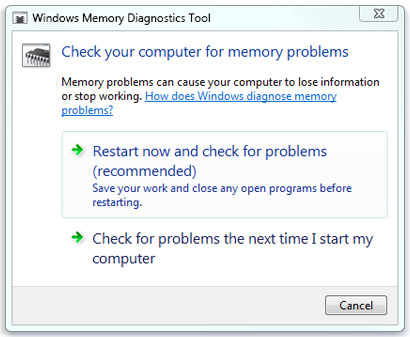
And so I tried the Windows Memory Diagnostic that came with Windows 7.

Windows Memory Dignostic

In less than a few minutes, I found out that my RAM really was busted.

Memtest86 was trumped by a Windows utility program. Weird.

Dual Boot Jaunty Asus Eee PC 1005HA + Globe Tattoo

screenshot of finished setup

Yesterday I bought an Asus EeePC 1005HA netbook and a Globe Tattoo wireless broadband dongle for my portable computing needs (my laptop was too bulky and there aren’t enough WiFi hotspots in the metro for my iPod Touch).

Being the geek that I am, I immediately converted it into a WinXP + Ubuntu dual boot machine. For this, I simply followed the steps at:

This post will just cover the various nuances surrounding the installation process.

BitTorrent link for Netbook Remix

Recent PLDT line work on my street has borked my net connection preventing me from direct downloading the netbook remix of Ubuntu 9.04. Unfortunately, there are no direct links to the torrent of the netbook remix.

With a bit of searching, I found the torrent here listed along with the other releases.

Partitioning

Unlike the walkthrough above, I did a dual boot of the netbook. In order to do that, I simply deleted the partition for drive D using Disk Management under Computer Management (run compmgmt.msc).

Since I did not delete the EFI partition, I only created the /, /home, /boot, and swap partitions, with the first 3 formatted in ext4. I also didn’t need to do his final step — I just re-enabled EFI with no problems.

DON’T UPDATE YOUR PACKAGES YET!!!

After installing and setting up the networking, the Update Manager will prompt you to update some packages. DO NOT UPDATE THEM YET because there are some problems with the scrollkeeper xml files. Run the following command first to correct scrollkeeper’s database:

sudo scrollkeeper-rebuilddb -v

Disabling your Touchpad while Typing

The installation walkthrough only discusses how to allow other applications to access the touchpad but it doesn’t exactly specify how to disable the touchpad while typing (which can be annoying).

Sure 1005HA has buttons to disable the touchpad but the better option would be to use syndaemon.

PLDT DSL High Attenuation

Problem

After isolating the usual suspects (line problems, modem problems), my attenuation downstream for PLDT DSL is still 60+.

Cause

The polarity of my wall jack is wrong (I replaced it before because it got borked, my bad). Pin 2 should be positive.

Solution

Corrected the polarity of the wires. Now my attenuation downstream is 55: still low, but at least now my DL speed goes beyond 200KBps. May have to contact PLDT later.