Computer Stores in Metro Manila

In this day and age, computer stores are everywhere. If you are serious about computers, however, you will know that most of these stores have very high mark-ups (especially the ones in malls) and usually carry old or low-end (“mainstream”) stuff. This post will cover where I get the “good stuff” in Metro Manila.

In this day and age, computer stores are everywhere. If you are serious about computers, however, you will know that most of these stores have very high mark-ups (especially the ones in malls) and usually carry old or low-end (“mainstream”) stuff.

This post will cover where I get the “good stuff” in Metro Manila.

You’re reading this blog post so I assume that you’re online (there’s a very low chance that this will be published in a local publication, but I’m not betting on it :P ). Being online, your first stop should always be TipidPC.com.

Even if you’re wary of buying second hand stuff from people you don’t know, TipidPC is still a valuable resource. It’s practically the only place you could find people in our country selling hard to find computer parts. There are also stores which post their prices there in real time, giving you an idea of the “correct” retail prices of computer parts. You could also get opinions from forum members on parts — they’ll even tell you where to find that part for less.

As for “traditional” computer stores, there are only a few computer stores worth going to.

Every enthusiast will tell you about (in)famous store PC Options at Gilmore. Don’t listen when other stores say they have “the lowest prices”; other than TipidPC, PCO has the lowest prices for parts, hands down. And these are not just your mainstream parts, they carry high-end enthusiast parts too.

There is one catch, though. PCO is infamous for its inefficient system of handling customers. I’ve never bought something from PCO without waiting at least an hour to get it. So before buying something from PCO, ask yourself: “Is waiting for 2 hours for a P500 discount worth it?”

On the opposite end of the inefficiency spectrum is PC Express. They’re not as cheap as PCO, but their stores are pretty efficient with multiple ordering booths and chairs for customers waiting for their orders to be processed. They also have a lot more branches than PCO, which is good for those who live far away from Gilmore.

Another good thing about PCX is their price list is available online in the front page of their website. There are two types of price lists, the SRP and the Promo price list. You use the latter if you’re paying by cash; they give a discount considering credit card fraud is widespread around here.

The only problem IMO with PCX is that they don’t carry a lot of enthusiast level parts. For cool stuff, you’ll have to go to PCO or the next store in this list.

Somewhere in between PCO and PCX is PCHub. They’re cheaper than PCX but not as cheap as PCO. They’re not as efficient with dealing with customers as PCX but they’re not as inefficient as PCO either.

Like PCX, they have an online price list in TipidPC. They’re actually better than PCX in this department because their list is updated in real time, whereas in PCX you have to call to verify the price or if they have stocks available in a certain branch.

Like PCO, they carry high end stuff in their stores. They’re also better in this department because they carry enthusiast coolers like Arctic Cooling and Thermalright and “gamer” peripherals from Razer.

IMO, PCHub is the best store to go to in Gilmore, followed by PCX. Only go to PCO on off-peak hours/days or if you really need to save a couple of hundred pesos.

The problem with the three stores above is that most of their wares are hidden in their store room. That’s ok for internal parts, but for external peripherals, looks matter.

Here’s where Octagon and CD-R King steps in.

Octagon is not a store that I would normally recommend to people. Their markups are just too high. For example, the monitor I bought last month, a Samsung T220, costs 17k in their stores. PCHub sells it for a lot less.

However, Octagon’s open supermarket-style setup showcases their products for all to see. You could easily compare how keyboards and mice with each other in this setup.

They also carry some rare stuff in their shelves. I bought my Japanese-made mouse pad for optical mice in Octagon (I’d love to get a Razer one from PCHub, but seriously, 1-2k for a mouse pad is just too much).

As for CD-R King, everyone knows it’s good for only two things: writable media and cheap (disposable) gadgets. What people don’t know is that they also carry rare parts like RAM sinks and thermal compounds.

Enthusiasts should consider going to the CD-R King site to look for rare stuff if searching TipidPC turns up nothing. I myself use a USB KVM from CD-R King, a part that you could not find in any other store locally.

So there you have it, the best places to buy computer parts in Metro Manila. Honorable mentions go to PC Corner and RSun, both of which have competitive prices and online price lists.
The Complicator's Gloves

Here’s another story that I re-posted somewhere else before: The Complicator’s Gloves.

Good software is constantly under attack on several fronts. First, there are The Amateurs who somehow manage to land that hefty contract despite having only finished “Programming for Dummies” the night before. Then there are The Career Amateurs who, having found success after that first contract (read: taking the client’s money and not being sued for developing a useless product), actually manage to make a career out of repeating that experience. And then there are The Complicators, the side that tempts the best of us to join their ranks, even if only for project or two.

There are some so deeply embedded within The Complicators, that they’ve acquired a sort of sixth-sense: the ability to find meta-problems (“a problem with the process of creating a solution for the actual problem”) in virtually any solution. As we’ve all seen, the systems that these developers create often end up as a barely functional application comprised of a Matryoshka-doll-like nesting of problems and solutions. Given the chance to solve problems outside of Information Technology, I’ve often wondered how The Complicators might respond. Fortunately, Mike has given us that opportunity …


As programmers, we usually have multiple ways to solve problems. As computer scientists, we are aware that we must determine which of those solutions are elegant solutions. Unfortunately, due to our flawed educational backgrounds and personal experiences, our definition of “elegant” is usually “overcomplicated solutions” or “our solutions” (or both).

As software engineers, we must unlearn that potentially dangerous way of thinking. Elegance for us should always begin with simplicity.

So the next someone suggests a complicated solution for a simple problem, always keep in mind that that problem might be solved by “gloves”. (Unless, of course, you’re not going to be affected by that complicated solution. :D )

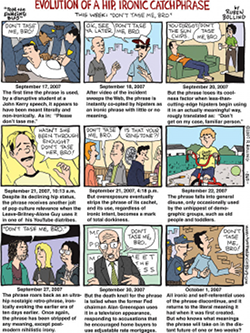
Ang Tunay na Lalake ay…

…isang meme na nalalaspag na.

(or for the 2 non-Tagalog speaking people out there reading this blog: A True Man is a meme that’s quickly getting old.)

I’ve seen the site and yes, I lol’ed too at first. But the site’s getting too popular too quickly, and it looks like it’s going to go the same way as similar memes.

click to view full size comic

Any bets on how long before the meme reaches mainstream death?

Financial Stability

Ever since my parents gave me my last allowance almost five years ago, I’ve always been a financially stable person.

The key word here is stable. I always say flat out that I am not a rich person because I know a lot of people are richer than me because my previous salary isn’t that high. But you will rarely see me complain about money problems. And you will never see me struggling with debt.

Just as losing weight can be simplified to four obvious words, my financial stability can be simplified to four similar obvious words:

Continue reading “Financial Stability”

DOMS – Delayed Onset Muscle Soreness

Did a lot of stuff in the past 4 days. I’m tired, my body hurts like heck, and I still have to write a second Daily Entry.

After a couple of hours of fruitless thinking about what to write about next all the while trying to ignore the fact that my back and abs hurt every time I move, I finally decided to write about the type of pain I’m having now. :P

If you’re planning to undergo a full fitness regimen, you must be prepared for Delayed Onset Muscle Soreness (DOMS), the muscle pain that occurs a day after performing an exercise.

The Wikipedia entry covers most of the stuff you need to know about DOMS. Heck, just the name alone should give you a good idea what to expect.

Some things you might want to take note about DOMS:

  • Know the difference between injury and DOMS. Pain from injuries are usually more localized to an area and the swelling can be visible. It’s also much more painful than the latter. If you’re not confident about the risk of having injuries, I’d suggest you perform your exercises with supervision.
  • I’m assuming that you have a job and not a bum like me. :P If that’s the case DOMS will kill your productivity at work so you must know how to deal with it. Know which painkillers work for your DOMS and keep a bunch of them within reach. You could also take note if stretching helps reduce DOMS in your current training regimen.
  • Ab DOMS is IMHO the most annoying type of DOMS because a lot of body movement requires the abs. Sit up straight? ow. Laugh? ow. ow. ow. Lie down? Ouch! Cough or sneeze? aw, fuck. Just something to keep in mind before doing those crunches. :D
  • Leg DOMS is also annoying but obviously it’s only a problem if you’re planning to walk a lot the day after you do your leg exercises.