

I just learned recently that there are no local download servers for Ubuntu packages here in the Philippines. In other words, for the past few months (or years), every apt-get install I do downloads the packages from the main Canonical server in UK.
And I thought my slow download speeds were just caused by this country’s crappy internet.
Anyway, the solution is simple. In Synaptic Package Manager, go to Settings -> Repositories and choose Other… from the “Download from” dropdown. This will open the Choose a Download Server window. Just click the Select Best Server and Ubuntu will ping all download servers, choosing the best server automatically.
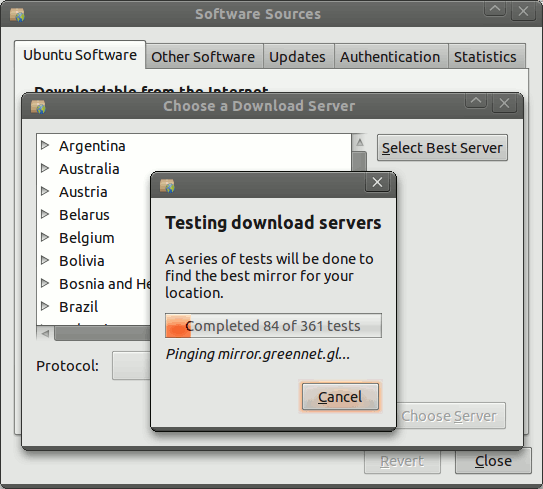
This will probably select a Singaporean or Malaysian server depending on your connection.

i usually select taiwan or japan, it’s nearer somewhat :)